

Syntax is Dead, Long Live Architecture
TLDR
The era of syntax memorization is over. AI transforms development by handling boilerplate while developers focus on architecture, system design, and strategic thinking. Success requires mastering human-AI collaboration while avoiding common pitfalls.
Navigate to: Core Competencies Today | Best Practices Checklist | Common Pitfalls Checklist | Security Risks | Resources to Level Up
Introduction
 For decades, programmers have been explaining their broken code to rubber ducks. The duck sits there patiently, never judges your logic errors, and somehow helps you find that missing semicolon. It's beautifully absurd: talking to an inanimate object to solve complex problems. Now that we have AI that can actually talk back, write code, and fix bugs in real-time, are we ready to say goodbye to our long time friends?
Software is one of the first industries to experience transformation by AI technology. Everyone's what-would-be future was machines taking over manual labor first, not knowledge work. But as we stand here in the wake of ChatGPT's disruptive release in November 2022, software development has changed forever.
Constant layoffs and hiring freezes have left the industry bleeding, leaving a bitter taste for many. These disruptions certainly add to the negative perception of AI. This resistance to AI arises from multiple factors, including losing our current routines and the work we love. Work is a big part of our identity, so it's natural to feel scared when it's threatened.
This is the duality of AI. On one hand, it's magical, helping people create pictures, videos, music, and anything they could dream of instantaneously. On the other hand, it feels like soulless mimicry of real art—the art in which creators put their blood, sweat, and tears into. When machines do that work effortlessly and endlessly, it raises difficult existential questions.
But this transformation isn't just changing how we code; it's redefining what it means to be a software engineer. The days of syntax memorization are over. What matters now is architectural thinking—knowing what you can plan and achieve with the tools at your disposal. You are no longer the junior dev, AI is. You're in charge of one.
"It is not the strongest of the species that survives, nor the most intelligent, but the one most adaptable to change", attributed to Charles Darwin, is a good reminder to keep up with the ever-evolving tools and technologies. All we can do is adapt. For now, AI is not a replacement but a catalyst, here to push our limits. The challenge is to rise to the occasion.
Syntax is Dead, Long Live Architecture
As AI handles syntax and implementation details, our focus shifts to higher-order thinking. While AI abstracts away boilerplate and lower-level coding, it gives our architectural and strategic capabilities greater freedom than ever before.
Software development is becoming democratized, and as more people gain the ability to build software, what will distinguish you is your ability to apply uniquely human skills. According to Stack Overflow's 2025 Developer Survey, 84% of developers are now using or planning to use AI tools—a jump from 44% in 2023 and 76% in 2024.
Core Competencies Today
- Critical Thinking: As AI handles routine tasks, your ability to analyze problems, design robust solutions, and think strategically becomes your primary value.
- Product Sense: Deeply understanding your users, their needs and how the application will be used is key to building a successful product. You cannot deliver on a product without understanding what needs to be delivered.
- System Design: Once you understand the requirements, you can make critical trade-offs between availability,consistency, performance, and cost. A solid foundation requires mastering the problem from a high-level perspective to avoid mid-project overhauls.
- Soft Skills: Communication will hold greater value than ever before. As AI helps bridge skill gaps between different people, soft skills become an important differentiator. Beyond talking to coworkers, good communication skills are essential for getting the best results from AI.
- Continuous Learning: AI is moving at a breakneck pace. According to Stanford's AI Index Report, the number of papers published between 2013 and 2023 has almost tripled. Strategic orchestration of these new tools and technologies will amplify the unique human traits of creativity, critical thinking, and empathy.
- Builder's Mindset: The importance of how to build is being overtaken by what to build. Meta recently announced they will allow candidates to use AI in the interview process—an industry first that shows the trend as AI becomes increasingly ubiquitous. They will likely develop new questions to test your ability to use AI effectively, likely replacing traditional leetcode-style questions with small feature requests.
Working with AI: Principles and Best Practices
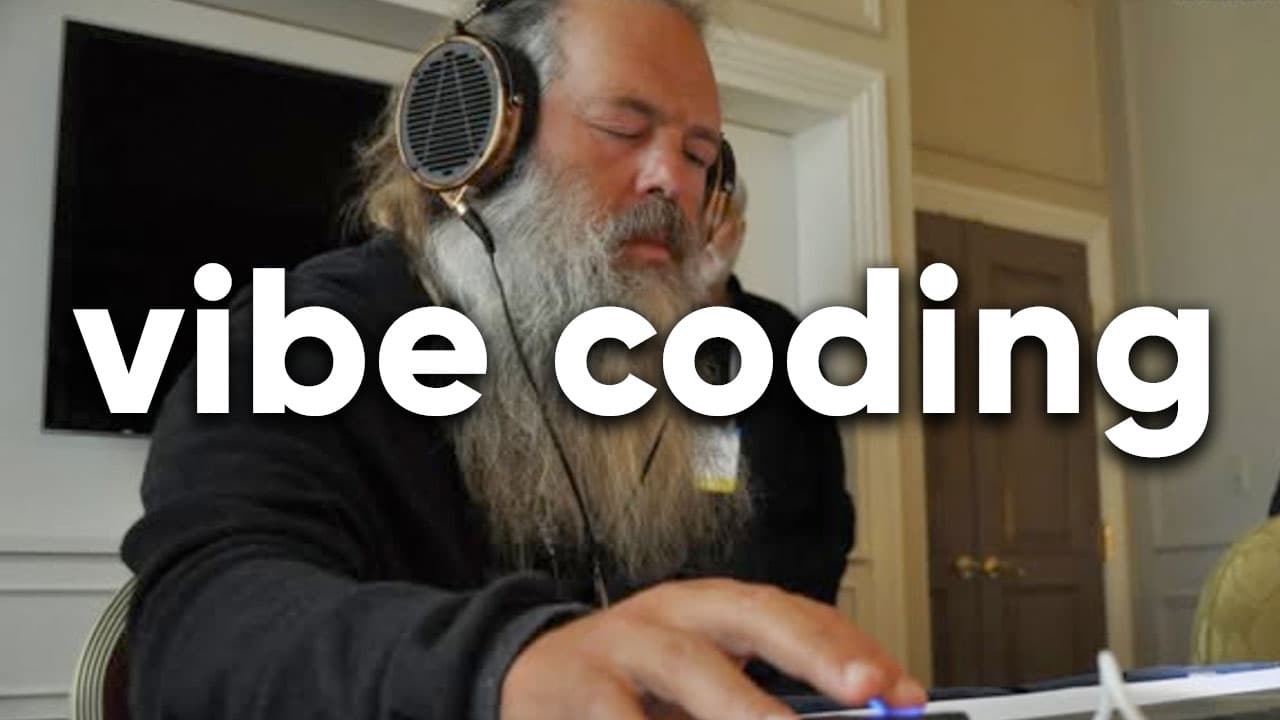
Gen AI has been transforming the way we build software. Research shows that developers using GitHub Copilot complete tasks 55% faster than those without it, but more importantly, 87% report it preserves their mental energy during repetitive tasks. It's excellent for testing MVPs, prototyping initial ideas, and handling boilerplate or lower-level tasks so you can devote your energy to maximizing impact and driving business innovation. The days of lorem ipsum are behind us.
In AI, context is king. Significant work has gone into providing AI better context about your code through agentic mode, semantic search, file access, and MCP tools. You can see this in AI code tools like Cursor, Windsurf, Claude Code, GitHub Copilot, and also more vibe coding based platforms like Loveable or Replit. However, AI is still prone to hallucinations and mistakes.
That's why great models aren't enough today. The ecosystem around them matters more. Copying code from online chatbots isn't inherently bad, but it's no longer effective or efficient.
The agentic workflows in the latest AI code tools are game-changers. They're tightly integrated with your working environment, provide better context to the LLM, and can iterate for minutes to hours on a given request. They allow you to make changes in real-time, which you can accept, reject, or modify on the spot. They can search the filesystem, create new files, and even run commands.
This is a huge upgrade over simple chatting. The best AI tools are more than chatbots or raw models. Check out this video of Amazon's new AI IDE called Kiro. This short 3-minute video provides a great introduction to this new era of AI tools, and I love their concept of spec-based vs. vibe coding.
Despite all these improvements, Microsoft named it perfectly by calling it "copilot"; you're still in charge. If you never find yourself questioning or redirecting AI's suggestions, it's time to reassess your approach. Here are principles and practices to help you effectively partner with your AI assistant.
Foundational Principles
Ensure the architecture is sound from the start so that maintaining it remains achievable for both you and your LLM partner. Treat your AI as an enthusiastic new grad—full of knowledge but lacking broader context. I like the broken windows analogy from 'The Pragmatic Programmer' when discussing quality. When a building has a broken window, it signals that anything goes, and soon the entire building falls into disrepair. Small details matter.
Build your product with quality in mind from the start. Ensure modularity, readability, security, and simplicity. Follow principles like SOLID, DRY (Don't Repeat Yourself), KISS (Keep It Short And Simple), and SoC (Separation of Concerns) to create a quality product that can be iterated upon and last longer than 5 prompts.
Prompting the LLM is a challenge in itself. Prompt engineering is the art of designing instructions to get desired outputs. Trust me—instructing clearly and concisely is harder than you think.
As humans, we assume a lot about others' knowledge, so our instructions often lack detail. I love this playful video that demonstrates the point: Exact Instructions Challenge for Peanut Butter Sandwich. For example, while building with your copilot, you may decide to change your approach mid-development. If you don't ask explicitly, it may leave dead code from the previous attempt, bloating your codebase and making it difficult to navigate and understand.
Be explicit about your objectives—sometimes it's even wise to fine-tune your prompt using AI before execution. For example: "Help me plan how to add a testimonial section without making any changes."
Development Workflow & Best Practices
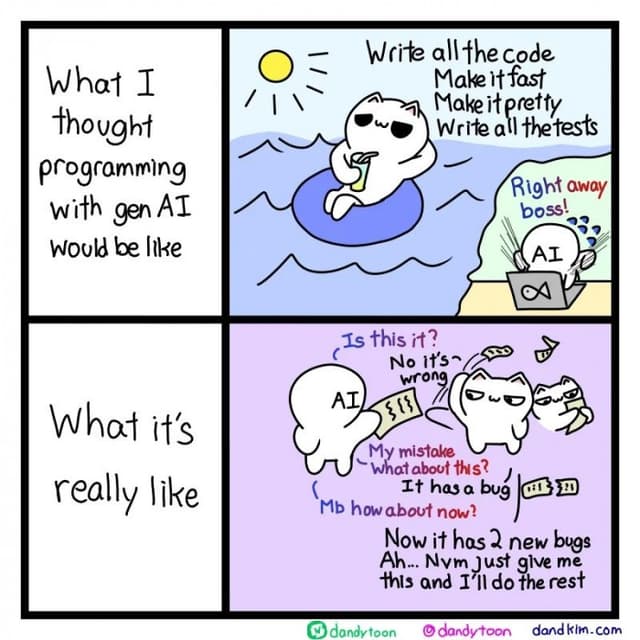
1. Maintain Momentum and Safety
- Iterate and Commit: Mastery of source control is essential to avoid losing valuable progress. Build iteratively, step by step, achieving one goal at a time. Test your changes to ensure they work as expected, review for clean code, then stage and commit your changes before proceeding to improve or build another feature. We don't play games without checkpoints, and neither should we code without them.
- Stay Focused: Keep your chats small and focused on particular or related topics. Chatbots remember the current session's chat history, which can overload the context window and make responses more prone to hallucinations. If you know which file needs to be created or edited, mention and reference it directly to save precious resources (usually done by @file-name or @method-name). Breaking complex conversations into actionable steps will provide better results.
2. Uphold Quality and Standards
- Test Thoroughly: Generate tests and test cases for your application, including both unit and integration tests. Unit tests cover functionality of a single component or function. Integration tests cover interactions between different components or modules. Best practice is to run them often, ideally after completing small features or tasks to ensure they don't break existing functionality. Test-driven development (TDD) can also help produce a stable and reliable codebase. In TDD, you write tests before writing the code.
- Document Diligently: Document your project properly, describing the structure, how to run it, .env.example file, debugging tips, etc. in the README.md. This is historically one of the most neglected and underrated processes in software development. It will save you a lot of sweat and pain when you return to your project 3 months later.
- Refactor Ruthlessly: If a file starts getting too big, it's time to break it down and refactor properly. SoC will help you and the AI read your code faster from a high-level perspective, and scoping to the appropriate class with the issue will lead to easier bug fixes. Tech debt grows exponentially when not addressed.
3. Master the Human-AI Interface
- Trust but Verify: Starting with a zero-trust approach is better when working with AI. AI works great in some areas, but not always. Start slowly and review suggested changes before proceeding. Review AI code just as you would any other person's. Make small edits or leave TODO comments to guide the AI further. Don't let review debt accumulate to unsustainable levels. Benjamin Franklin's quote applies here: "An ounce of prevention is worth a pound of cure."
- Use System Prompts: Use proper system prompts to teach AI your standards and values. You can maintain a .md file with code guidelines, best practices, and other important information that AI can reference. This helps maintain consistency for maintainability and readability, requiring fewer changes during refactoring.
- Leverage Popular Tools: Use popular frameworks and libraries to build your application. AI systems work better with popular tools because they have extensive documentation and numerous examples to learn from. Less popular languages and frameworks may lack support and be more prone to hallucinations.
- Advanced Techniques: Use MCP tools, which can be described as extensions for LLM models to push their limits. Some simple ones I like for my Windsurf IDE are sequential-thinking and memory by Anthropic. These tools help LLMs plan by breaking down requirements into various branches and store important information across multiple chats. Check my previous article for more comprehensive details about MCP tools.
Best Practices Checklist
| Category | Best Practice |
|---|---|
| AI Collaboration | Provide clear, specific instructions with explicit context. |
| Keep conversations focused on a single task or related topics. | |
| Reference files directly (@file-name) to save context resources. | |
| Use system prompts and maintain coding standards documentation. | |
| Development Hygiene | Commit work frequently after each small feature (use checkpoints). |
| Build iteratively, step by step, achieving one goal at a time. | |
| Use popular, well-documented frameworks and libraries. | |
| Follow SOLID, DRY, KISS, and SoC principles for maintainable code. | |
| Quality Assurance | Start with zero-trust approach, always verify AI-generated code. |
| Generate comprehensive tests (unit and integration) regularly. | |
| Document project structure, setup, and debugging tips thoroughly. | |
| Refactor ruthlessly when files become too large or complex. | |
| Advanced Techniques | Leverage MCP tools for enhanced LLM capabilities. |
| Use prompt engineering techniques for better AI responses. | |
| Never share sensitive information or trade secrets in prompts. |
The Double-Edged Sword: Navigating the Risks of AI
Beware of the AI Slop
 While AI is providing us immense productivity gains, it also has downsides. Besides taking over social media feeds, with fake news and endless brain-rot, it can also decay our codebase. This is often called "AI Slop". Recent analysis of 211 million lines of code shows that copy-pasted code has increased from 8.3% to 12.3% of all code changes, while refactoring has dropped from 25% to under 10%.
I do want to highlight that mediocrity is not always bad, whatever my or yours inner perfectionist may say. Not everything needs to be 100% optimized, but it is important to keep the codebase clean and maintainable. Sometimes, good enough is actually good enough.
We want to spend our valuable time on things that have the most impact, AI gives us that opportunity. Mediocrity aside, we can't have a terrible mess on our hands if we have any long term plans.
The Cognitive Cost
Over-reliance on AI can diminish our critical and creative thinking according to a recent MIT study. This makes sense as usually described by the phrase "Use it or lose it". We need to keep our wits sharp and delegating all the tasks to AI without proper review and analysis decreases brain engagement required to stay sharp. While learning is easier than ever before with AI, so is cheating. The best way to use AI is by being engaged and curious, at least for the core parts of your job.
Security Risks
Overreliance on AI can increase the risk of vulnerabilities if users uncritically accept weak code that may introduce insecure patterns, inadequate authentication, or unsafe handling of user inputs.
Recently security researchers found that hackers are taking advantage of AI hallucinations to sneak malicious packages into our code, as covered by ITPro. Some of the common hallucinated package names have been downloaded thousands of times, highlighting the magnitude of the issue.
AI also is an invaluable tool for hackers, especially jailbroken versions like WormGPT. It can speed up the creation of new malware, find vulnerabilities, profile victims, spread malware using social engineering techniques and then analyze stolen data. And following the footsteps of Vibe-Coding, Vibe-Hacking is here too. A recent report by Anthropic discusses AI cybercrime in depth, detailing how Agentic AI has been weaponized to not only direct but execute attacks.
Trying to end on a good note, I would like to mention Project Ire by Microsoft has been designed to use AI in the fight against malware. It automates malware classification in a gold standard: fully reverse engineering a software file without any clues about its origin or purpose. This could be a massive game-changer for cybersecurity.
IP, Copyright, and Compliance Risks
The training data used for AI model training is already a controversial issue. On top of that we must remember that any data we provide to it can, and probably is, used to train AI further. Never share sensitive information, trade secrets, or personally identifiable information in your prompts.
Furthermore, the legal landscape around gen AI is still a grey area. While people don't care as much about it in the coding paradigm, it is still a matter of concern.
You may unknowingly use copyrighted material of others without their permission. AI can also generate code that may be protected by patents or trademarks. At least it is not as bad as the Hollywood industry for us coders.
Bias and Manipulation
AI is biased and reflects the people who trained it. Data can be cherry picked and behavior can be tuned post-training to mirror the identity and beliefs of the people who trained it. Do not take AI as the source of truth.
This may not always directly affect the code, but talking with it may affect your thoughts and decisions. AI bots can be used to spread propaganda and fake news. Recently X AI's Grok caused some headlines by steering seemingly unrelated conversations to the topic of 'white genocide'. This is just a small example.
There are other very subtle ways AI can manipulate our thoughts and decisions without us even realizing it. I would like to discuss this more in depth in a future article.
Common Pitfalls Checklist
| Category | Pitfall & How to Avoid It |
|---|---|
| Code & Cognitive Health | Pitfall: Allowing "AI Slop" to degrade the codebase. Avoidance: Balance speed with quality. Refactor AI code and don't let tech debt accumulate. |
| Pitfall: Cognitive decline from over-reliance on AI. Avoidance: Stay engaged. Use AI to augment, not replace, your critical thinking. | |
| Pitfall: Copy-paste code proliferation (increased from 8.3% to 12.3%). Avoidance: Encourage code reuse and modular design over duplication. | |
| Security & Compliance | Pitfall: Introducing security vulnerabilities or malicious packages. Avoidance: Rigorously review all AI-generated code and dependencies. Never trust blindly. |
| Pitfall: Violating IP, copyright, or licensing terms. Avoidance: Never share sensitive data. Review code for potential license laundering. | |
| Bias & Manipulation | Pitfall: Being influenced by AI model bias or manipulation. Avoidance: Treat AI as a tool, not a source of truth. Question AI suggestions regularly. |
| Pitfall: Overloading context window with too much chat history. Avoidance: Keep conversations focused and start fresh chats for new topics. | |
| Workflow Issues | Pitfall: Losing progress due to poor version control habits. Avoidance: Master source control and commit frequently with clear messages. |
| Pitfall: Accumulating review debt from unverified AI suggestions. Avoidance: Review AI code immediately, make small edits, leave TODO comments. |
Looking Ahead: When the Copilot Becomes the Pilot
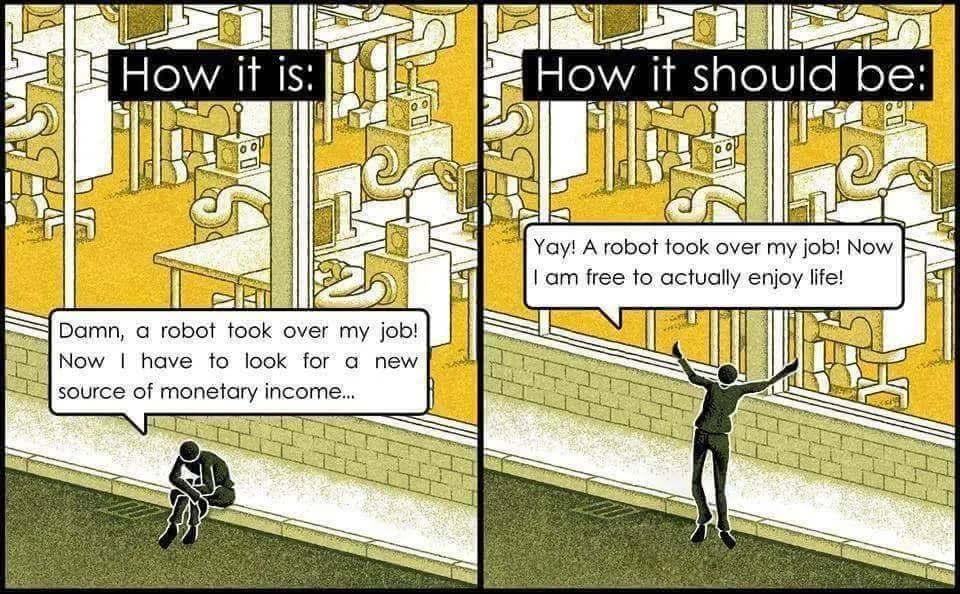 So far, AI has been adapting to our world. The IDEs, for example, are created for human use, not AI. All current infrastructure, design, and tools have been built with humans in mind.
This is changing through adapters like MCP tools, and we'll see more native AI integration in the future. There will, nonetheless, be a point where AI becomes the Pilot—it's a question of when, not if. When that day comes, we'll need to adapt to survive this new reality. Adapting well will help us thrive.
As the barrier to entry into software is getting lower with AI, this opens up opportunities for more people to enter the field. This may cause the job of a software engineer to not be in easy day-to-day automations or small apps but in more complex tasks of a grander scope.
While this uncertainty is a valid reason to be concerned, I believe the best that life has to offer comes in its detours. Let's embrace the journey while we figure out the destination.
In the meantime, let's maximize the present moment by getting the most from our current tools while sharpening the timeless skills. And remember to talk to your human and duck friends along the way, they still have an important role to play.
Resources to Level Up
To help you sharpen the skills that are timeless, here are some resources that I have found invaluable over the years. I hope they make you at least 1% better.
General Software Engineering
Websites / Blogs
Podcasts
YouTube Channels
Books
- System Design Interview – An insider's guide
- Pragmatic Programmer - Journeyman to Master
- Art of Clean Code - Practices for Complexity
- Designing Data Intensive Applications
- Design Patterns: Elements of Reusable Object-Oriented Software
AI and Machine Learning
Websites / Blogs
Podcasts
YouTube Channels
References:
- Rubber Duck Debugging – "Debugging software with a rubber ducky"
- Stanford University – "AI Index Report 2025"
- Stack Overflow – "2025 Developer Survey"
- GitHub – "Research: quantifying GitHub Copilot's impact on developer productivity and happiness"
- GitClear – "AI Copilot Code Quality: 2025 Data Suggests 4x Growth in Code Clones"
- Business Insider – "Meta will let some job candidates use AI in coding interviews"
- Kiro – "The AI-Native IDE" (YouTube)
- Josh Darnit – "Exact Instructions Challenge" (YouTube)
- Gobind Makar – "MCP Tools: The Future of AI Collaboration"
- Know Your Meme – "Vibe Coding"
- arXiv – "Cognitive impacts of AI on creative and critical thinking" (MIT Study)
- ITPro – "Hackers are taking advantage of AI hallucinations to sneak malicious software packages"
- SlashNext – "WormGPT: The Generative AI Tool Cybercriminals Are Using"
- Anthropic – "Detecting and countering the misuse of agentic AI models"
- Microsoft Research – "Project Ire: Autonomously Identifies Malware at Scale"
- UMBC News – “Grok’s ‘white genocide’ responses show how generative AI can be weaponized”